My App Store release has been rejected
You've implemented IAPHUB in your app successfully, everything is working great in sandbox and you're ready to release your app on the App Store? The Apple Review team will test your in-app purchases implementation before approving your app.
You might receive a rejection because the reviewer reported an issue even if everything is working fine on your side in sandbox, disturbing right? Let's try to find the cause of the rejection.
The reviewer will sometimes provide the 'Next steps' to resolve the issue, it is usually not very helpful, the most common message is the one below
When validating receipts on your server, your server needs to be able to handle a production-signed app getting its receipts from Apple’s test environment. The recommended approach is for your production server to always validate receipts against the production App Store first. If validation fails with the error code "Sandbox receipt used in production," you should validate against the test environment instead.
If you receive this message it is simply not the reason of your issue, IAPHUB is validating the receipt using the recommended approach.
You should first find out if the reviewer couldn't fetch the products for sale or had an error during the purchase.
Issue fetching the products for sale
You should double check you're able to load the products for sale in sandbox. If you're having issues loading products, check our products not loading guide.
If you can load products in sandbox, the issue isn't related to IAPHUB but most likely because App Store Connect isn't returning the products to the reviewer.
If you're selling in-app purchases for the first time it is possible the issue is related to your app submission.
First check your in-app products, all your products should be Ready to submit (if you've already implemented in-app purchases in the past your products should be Approved).
If the status isn't correct, you should edit the product in order to fix it.

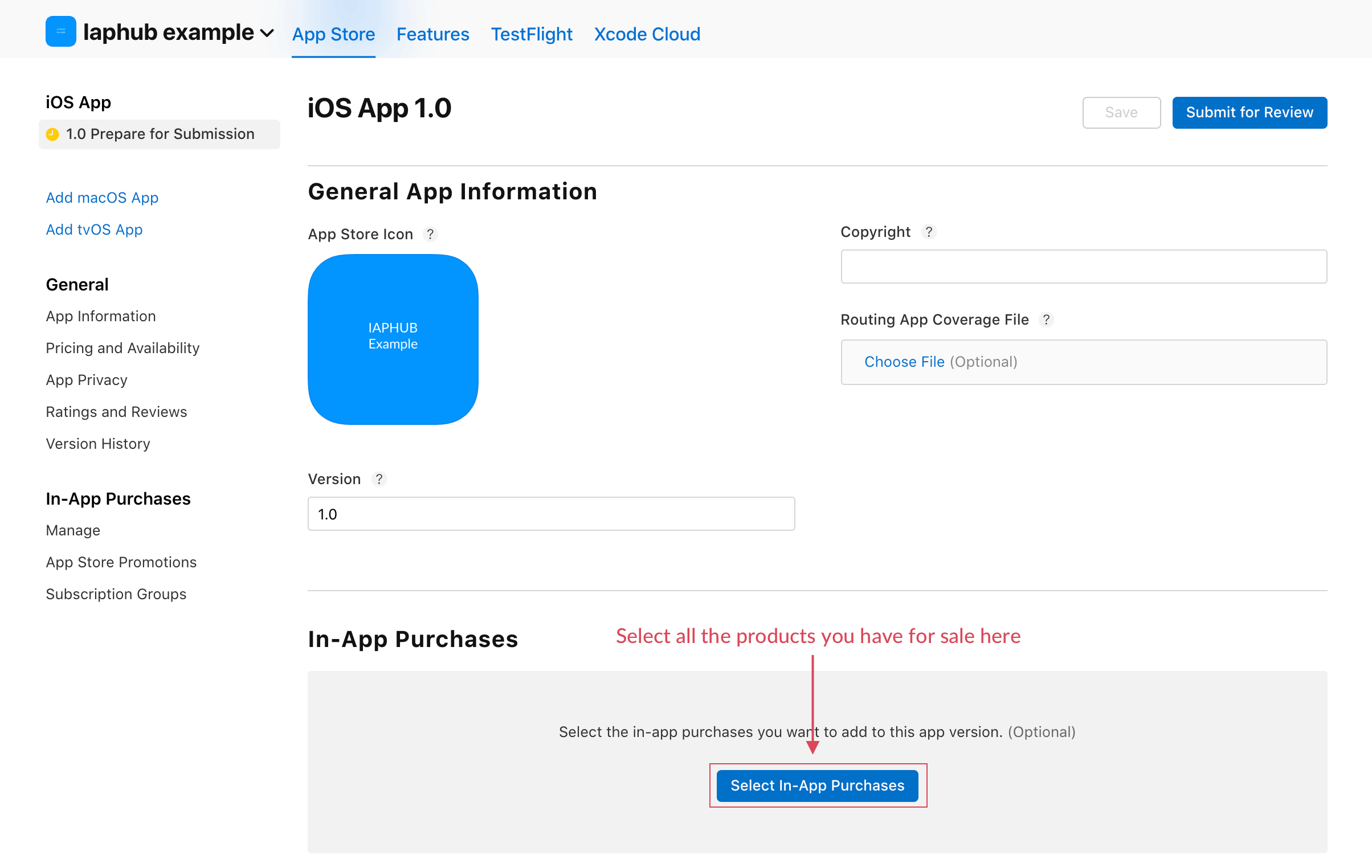
When submitting an app version selling in-app purchases for the first time, the products must be selected in the submission.
Issue during purchase
You should double check you're able to purchase a product in sandbox.
If everything is working fine in sandbox, go to the IAPHUB dashboard and check for any errors — the smart assistant will display errors detected during a purchase.
You can also go to the Receipts page and look for a failed receipt created when the Apple Review team tested your in-app purchases.
If you do find a receipt that matches, you can click on it to get more info about the error. Otherwise, it means the payment didn't go through (because of a client-side error) and the issue isn't related to the receipt validation of IAPHUB.
You should try to find out what error code is returned by the buy method, it might help.
Still having issues?
If you cannot find the reason for your rejection:
- Reply to the rejection in App Store Connect with specific questions about what went wrong.
- Contact support through the IAPHUB dashboard with details about your setup and the rejection message.
Note: It might be difficult for us to diagnose issues related to your app's code, but we can help verify that IAPHUB is configured correctly.